Fleet Management
Real-time fleet tracking, geofencing, maintenance scheduling, and analytics for EV charging service operators.
Fleet ModuleOverview
The Fleet Management module gives operators full visibility and control over their vehicle fleet. Track vehicles in real-time on an interactive map, define geofenced zones, manage vehicle maintenance, and generate fleet performance reports — all integrated with the wider VoltCharge ecosystem.
- Real-time GPS tracking — Live vehicle positions on an interactive map
- Geofence management — Custom zones with entry/exit alerts
- Preventive maintenance — Scheduled service tracking and alerts
- Fleet analytics — Utilization, cost, and consumption reports
Dashboard
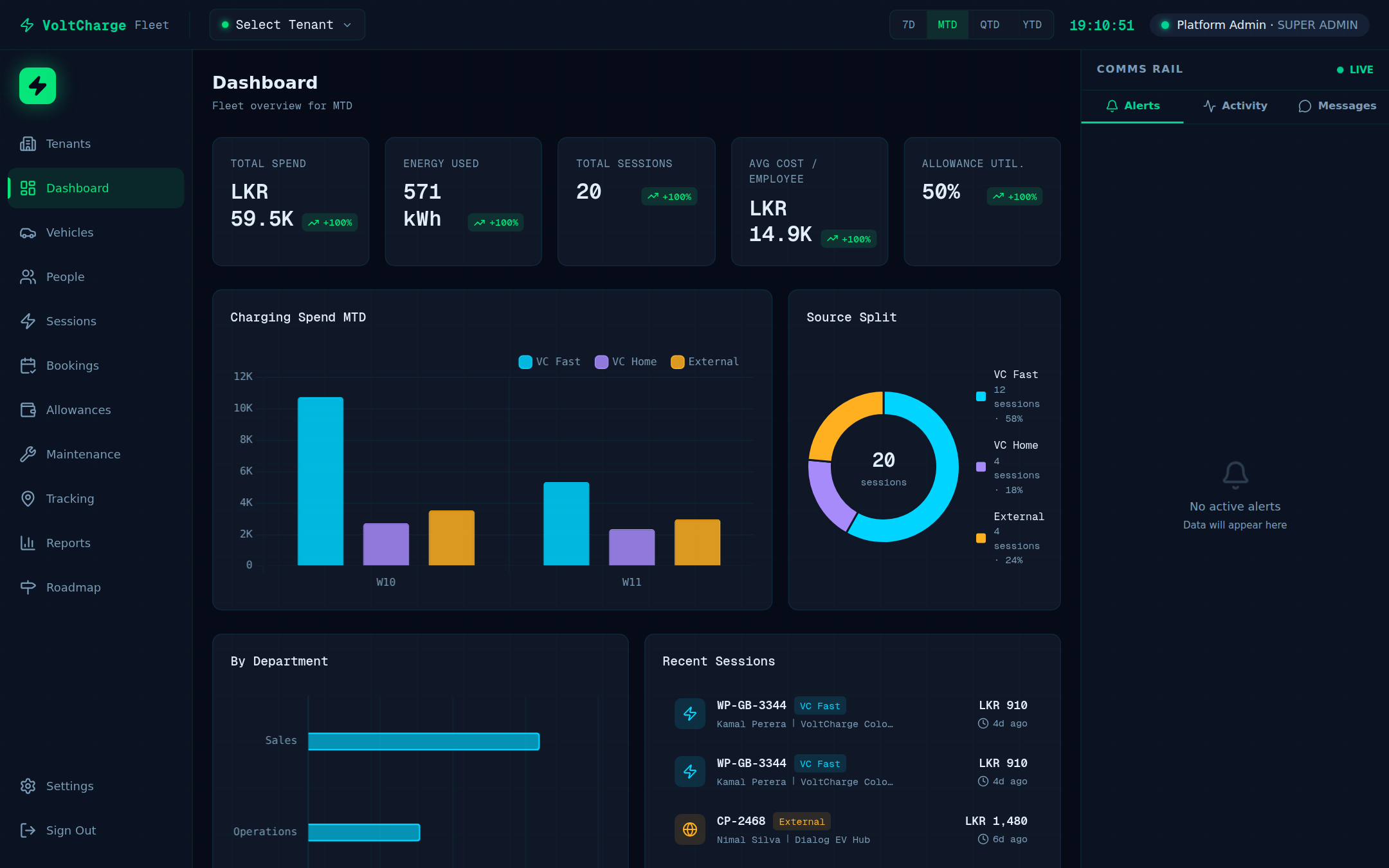
The fleet dashboard provides an at-a-glance overview of your entire fleet operation. Key performance indicators, vehicle status breakdowns, and recent activity are presented in a clean, real-time interface.
Fleet KPIs
Total vehicles, active count, idle count, and in-maintenance vehicles displayed as live metric cards with trend indicators.
Charging Activity
Current charging sessions, energy consumed today, and average charge duration across the fleet.
Alerts & Notifications
Maintenance due alerts, geofence violations, low battery warnings, and vehicle fault notifications.
Recent Activity
Timeline of recent fleet events — trips completed, charges started, maintenance logged, and geofence alerts.
Live Tracking
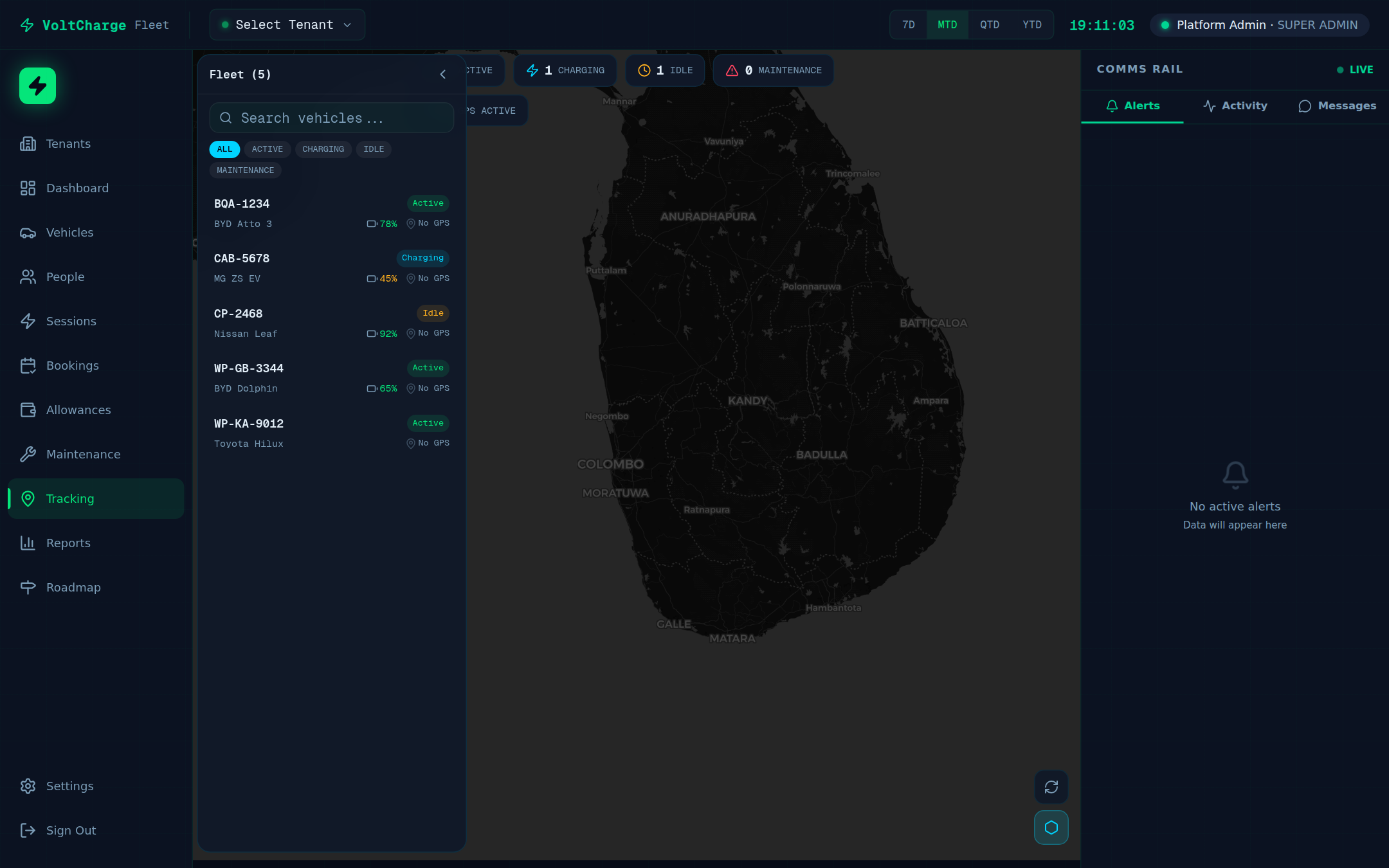
Track every vehicle in your fleet in real-time on a fully interactive map. Visualize routes, monitor speeds, and manage multi-vehicle operations from a single screen.
Real-Time Map
Interactive map powered by Leaflet with live vehicle markers, zoom controls, and layer switching between street, satellite, and terrain views.
Route Visualization
Historical and live route paths drawn on the map with timestamps, speed indicators, and stop/start markers.
Multi-Vehicle View
Monitor multiple vehicles simultaneously with color-coded markers, vehicle labels, and quick-select dropdowns to focus on specific units.
Vehicle Details Panel
Click any vehicle marker to see live speed, heading, battery level, last charge time, and current status in a slide-out detail panel.
- Auto-refresh — Map updates positions every few seconds without manual reload
- Cluster mode — Automatically groups nearby vehicles when zoomed out
- Charger overlay — Show charging stations on the same map for route planning context
Geofencing
Define virtual boundaries around key locations — depots, service areas, restricted zones, or client sites. Receive instant notifications when vehicles enter or exit geofenced areas.
Custom Zones
Draw polygon or circular geofences directly on the map. Name zones, set colors, and categorize them (depot, service area, restricted, custom).
Entry / Exit Alerts
Automatic notifications when a vehicle crosses a geofence boundary. Configurable alert types per zone — email, in-app, or push notification.
Zone-Based Reporting
Generate reports on time spent inside zones, entry/exit frequency, and zone utilization across your fleet.
Multi-Vehicle Rules
Apply geofence rules across vehicle groups. Assign different alert policies for different vehicle categories or driver groups.
Vehicles
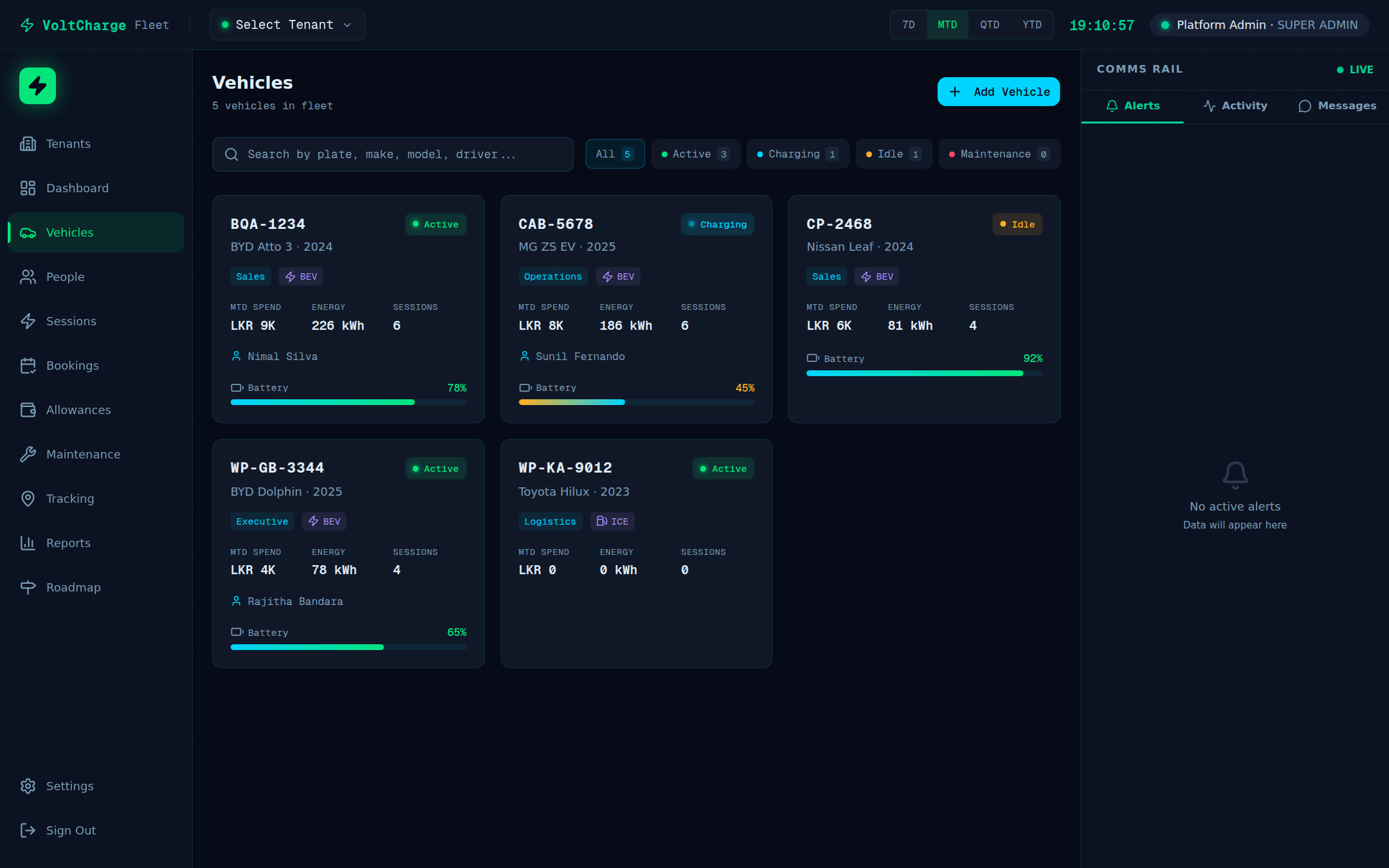
Maintain a complete registry of all fleet vehicles with detailed profiles, status tracking, and charging history. Manage vehicle lifecycle from onboarding to decommissioning.
Vehicle Registry
Complete vehicle database with make, model, year, VIN, license plate, battery capacity, and custom fields. Search, filter, and sort by any attribute.
Status Tracking
Real-time vehicle status — Active, Idle, Charging, In Maintenance, or Offline. Status changes are logged with timestamps for audit trails.
Charging History
Per-vehicle charging history showing session times, energy consumed, charger used, and cost. Helps identify charging patterns and optimize scheduling.
Vehicle Configuration
Per-vehicle settings including assigned driver, default depot, maintenance schedule, notification preferences, and fleet group assignment.
Maintenance
Stay ahead of vehicle maintenance with scheduled service tracking, service history logs, and preventive maintenance alerts. Reduce downtime and extend vehicle life with proactive maintenance management.
Scheduled Maintenance
Create recurring maintenance schedules based on time intervals or mileage thresholds. Calendar view shows upcoming service dates across the fleet.
Service History
Complete service log per vehicle — date, service type, cost, parts replaced, service provider, and technician notes. Exportable for compliance and audits.
Preventive Alerts
Automatic alerts when maintenance is due based on distance traveled, time elapsed, or battery health indicators. Never miss a service interval.
Cost Tracking
Track maintenance costs per vehicle, per service type, and across the fleet. Identify high-cost vehicles and optimize your maintenance budget.
Reports & Analytics
Generate comprehensive fleet reports to make data-driven decisions. Analyze vehicle utilization, energy consumption, costs, and operational efficiency with customizable date ranges and export options.
Fleet Utilization
Vehicle usage rates, idle time analysis, peak usage hours, and utilization trends over time. Identify underutilized vehicles for reallocation.
Energy Consumption
Per-vehicle and fleet-wide energy consumption reports. kWh consumed per trip, per day, per month with efficiency comparisons across vehicle models.
Cost Analysis
Total cost of ownership per vehicle — charging costs, maintenance costs, and operational expenses. Compare TCO across fleet segments.
Export & Scheduling
Export reports as PDF or CSV. Schedule recurring reports to be generated automatically and delivered to stakeholders on a set cadence.
Settings
Configure your fleet module to match your operational needs. Manage users, notification preferences, fleet grouping, and integration settings from a centralized administration panel.
User Management
Add fleet managers, drivers, and dispatchers. Assign roles with appropriate permissions — view-only for drivers, full control for fleet managers.
Notification Preferences
Configure alert channels (email, in-app, push), alert thresholds, quiet hours, and escalation rules for different event types.
Fleet Groups
Organize vehicles into logical groups — by depot, route, purpose, or department. Apply group-level policies for maintenance, alerts, and reporting.
Integrations
Connect with external systems — telematics providers, fuel card systems, ERP platforms, and the VoltCharge CMS for unified charger-fleet management.
User Roles
Role-based access control ensures each team member sees only what they need.
| Role | Access Level |
|---|---|
| Fleet Admin | Full control — vehicles, geofences, maintenance, reports, settings, and user management |
| Fleet Manager | Vehicle management, tracking, geofencing, maintenance scheduling, and reporting |
| Dispatcher | Live tracking, route management, and vehicle assignment |
| Driver | View own vehicle status, charging history, and assigned routes |