CMS Dashboard
Multi-organization charger management for finance teams, network managers, and charging point operators.
Core ModuleOverview
The CMS Dashboard is the central hub for managing your EV charging network. It provides a comprehensive view of all chargers, organizations, revenue streams, and financial operations across your entire network.
- Multi-organization management — Manage chargers across multiple organizations from a single dashboard
- Real-time monitoring — Live charger status updates via Server-Sent Events (SSE)
- Revenue analytics — Per-charger and per-organization revenue tracking across multiple time periods
- Role-based access — 7 distinct user roles with granular permissions
- Organization-level data isolation — Each organization only sees its own data
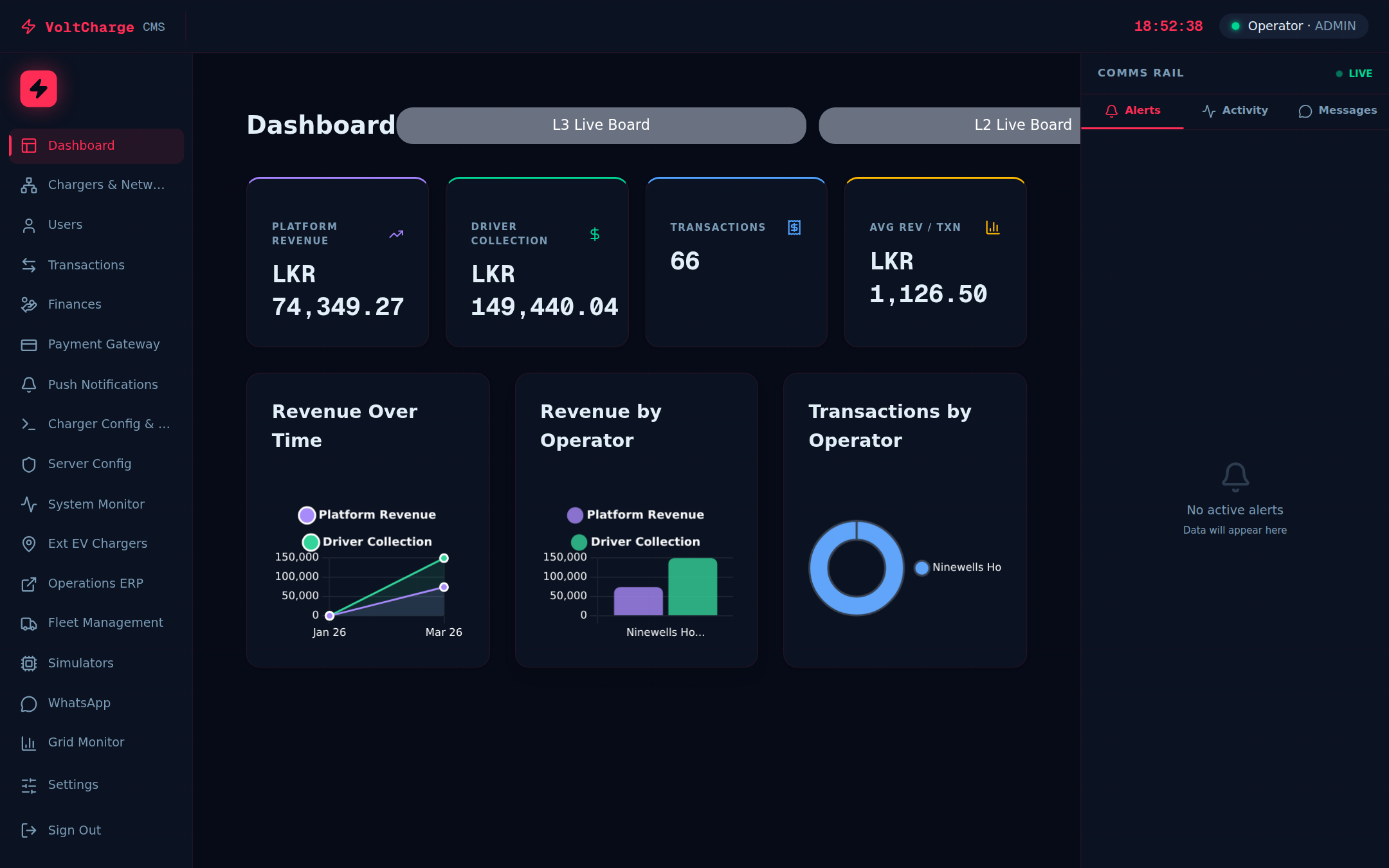
Live Dashboard
Real-time operational view with live charger status, revenue metrics, and energy consumption data streaming directly to your browser.
- Live charger status cards — Real-time status for each charger (Available, Charging, Faulted, Offline) via SSE
- Revenue summary — Daily, weekly, monthly, and yearly revenue totals per organization
- Energy consumption — Total kWh delivered across the network
- Transaction count — Number of charging sessions across time periods
- Per-charger performance — Individual charger revenue and energy metrics
Chargers & Network
Complete charger lifecycle management — from registration to monitoring. View your entire network topology with powerful search, sort, and filter capabilities.
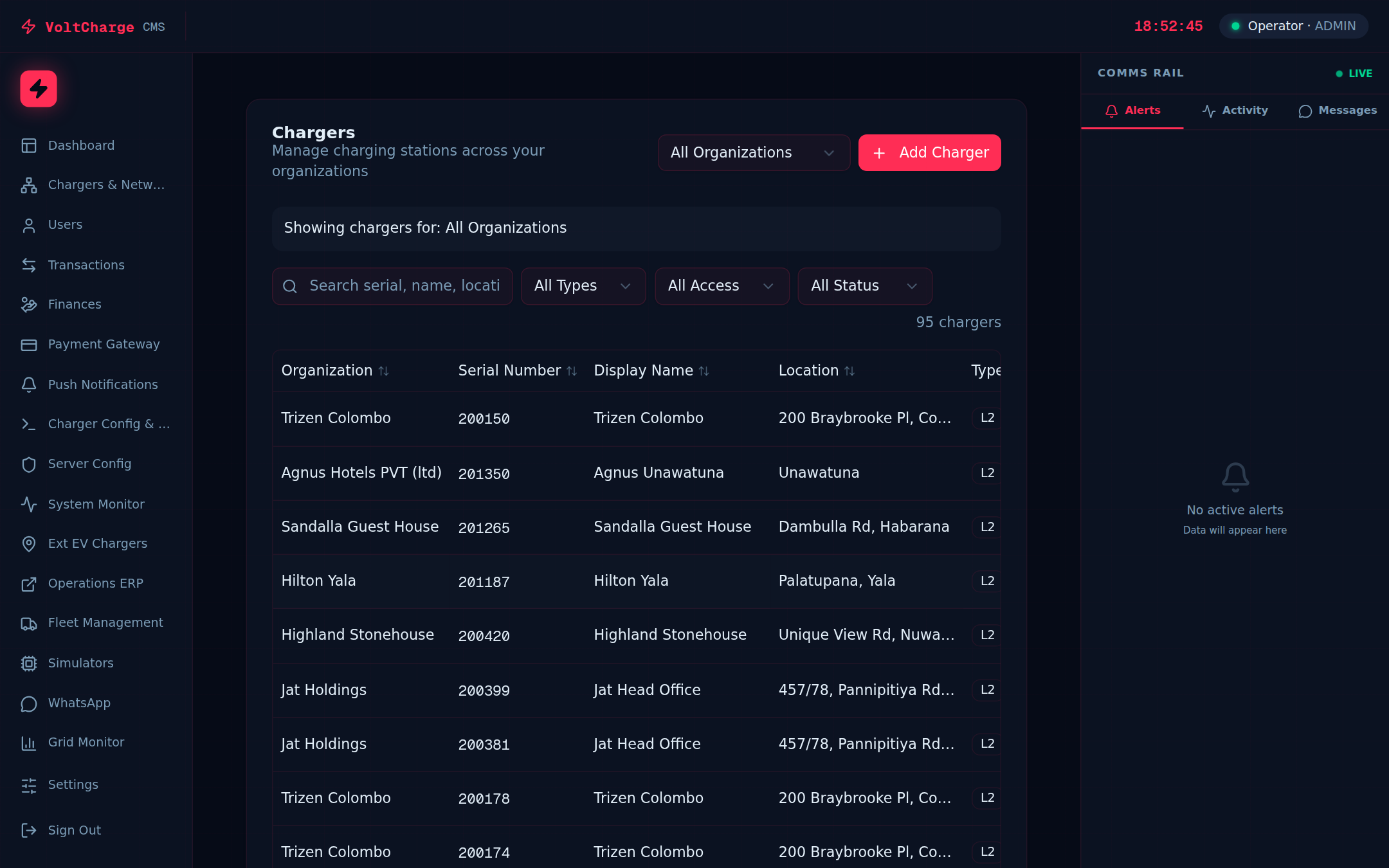
- Network topology view — Organization-level network dashboard with charger maps
- Charger table — Full-featured data table with search, sort, and filter
- Create & edit chargers — Register new chargers and modify configurations
- Visibility controls — Toggle charger visibility on dashboards
- Status tracking — Active, Inactive, Maintenance status badges
- Client-side pagination — 10, 20, or 50 rows per page
Organizations
Multi-tenant organization structure with independent billing configurations, currencies, and commission contracts.
- Organization profiles — Name, logo, currency, timezone per organization
- Billing configuration — Billing cycle (monthly/weekly/quarterly), billing day, payment terms
- Tax configuration — VAT rate, SSC levy rate, per-organization
- Commission contracts — Configurable commission structures per organization
- Cost configuration — Customer direct cost, gateway charges, platform commission
Transactions
Comprehensive transaction history with per-charger breakdowns, energy usage analytics, and flexible date range filtering.
- Commercial transactions — Full transaction history per organization
- Per-charger breakdown — Transaction data filtered by individual charger
- Energy analytics — kWh delivered, revenue collected, average session duration
- Date range filtering — Custom date range selection for reports
- Multi-organization view — Switch between organizations or view all at once
Finances & Invoicing
Complete financial management with revenue summaries, per-charger breakdowns across 4 time periods, and automated invoice generation.
- Revenue by charger — Revenue, kWh, and transaction count per charger
- 4 time periods — Last 24h, 7 days, 30 days, and 365 days
- Invoice generation — Generate partner invoices with tax calculations
- Bulk invoicing — Generate invoices for all organizations at once
- PDF download — Download invoices as formatted PDF documents
- Invoice status tracking — Draft, Sent, Paid, Overdue statuses
Payment Gateway
Multi-gateway payment processing with centralized transaction monitoring, configuration management, and refund processing.
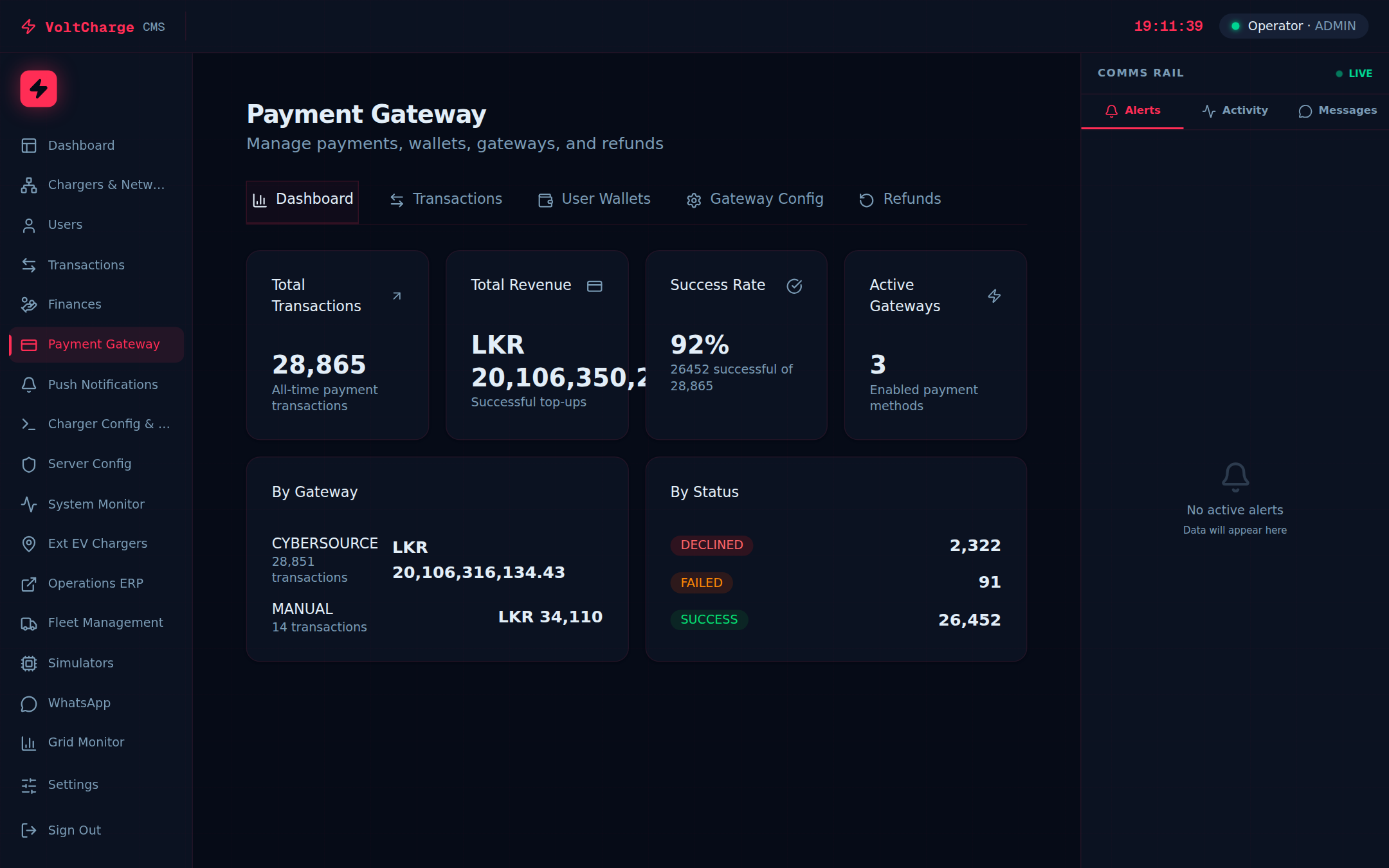
- Multi-gateway support — CyberSource, Amex, Dialog Fuel Card, and manual payments
- Transaction dashboard — Unified view of all payment transactions across gateways
- Gateway configuration — Configure gateway credentials, rate limits, and routing
- User wallets — View customer wallet balances and transaction history
- Refund management — Process and track refunds across all gateways
User & Role Management
Comprehensive role-based access control with 7 distinct user roles, each with tailored permissions and views.
| Role | Description | Access Level |
|---|---|---|
| Admin | Full system administrator | All features, all organizations |
| Technical | Technical operations staff | All features, all organizations |
| Accounts | Finance team members | Financial features, transactions, invoicing |
| Network Manager | Network operations manager | Charger management, network monitoring |
| CPO | Charging Point Operator | Own organization only (read-only chargers, revenue, transactions) |
| Location Owner | Third-party charger host | Assigned chargers only (filtered CPO view) |
- Organization-bound users — Users are linked to specific organizations
- User creation — Admin-controlled user provisioning with role assignment
- Password management — Admin password reset and user self-service settings
CPO Portal
Dedicated portal for Charging Point Operators with a streamlined, read-only view of their organization's chargers, revenue, and transactions.
- Organization-filtered view — Automatically scoped to CPO's own organization
- Revenue dashboard — Real-time revenue and energy metrics for their chargers
- Charger status monitoring — Live status of all chargers in their network
- Location owner management — Assign and manage location owners for individual chargers
- Transaction history — Full transaction history for their organization
Location Owner Portal
For third-party location hosts who earn commission from chargers placed at their premises. Provides a charger-specific filtered view.
- Charger-specific filtering — Only sees chargers assigned to them
- Revenue visibility — Revenue and energy data for assigned chargers only
- Same UX as CPO — Full dashboard, chargers, transactions, and finance pages
- CPO-managed assignment — CPOs assign location owners per charger from the chargers table
Push Notifications
Mobile app notification management for charger alerts and customer communications.
- Charger alert notifications — Automatic alerts when chargers go offline or fault
- Customer notifications — Send notifications to app users
- Targeted delivery — Send to specific users or broadcast to all
Grid Monitor
Integration with the national power grid for real-time grid status monitoring and demand management.
- Real-time grid data — Live power grid frequency, demand, and generation data
- Grid status visualization — Visual representation of grid health
Security
Enterprise-grade security with industry-standard authentication and data isolation practices.
- JWT authentication — Secure JSON Web Token sessions with automatic expiry
- bcrypt password hashing — Industry-standard password hashing with salt rounds
- Role-based permissions — Server-side authorization on every request
- Organization data isolation — Users can only access data from their assigned organizations
- HTTPS enforced — All traffic encrypted with TLS/SSL